
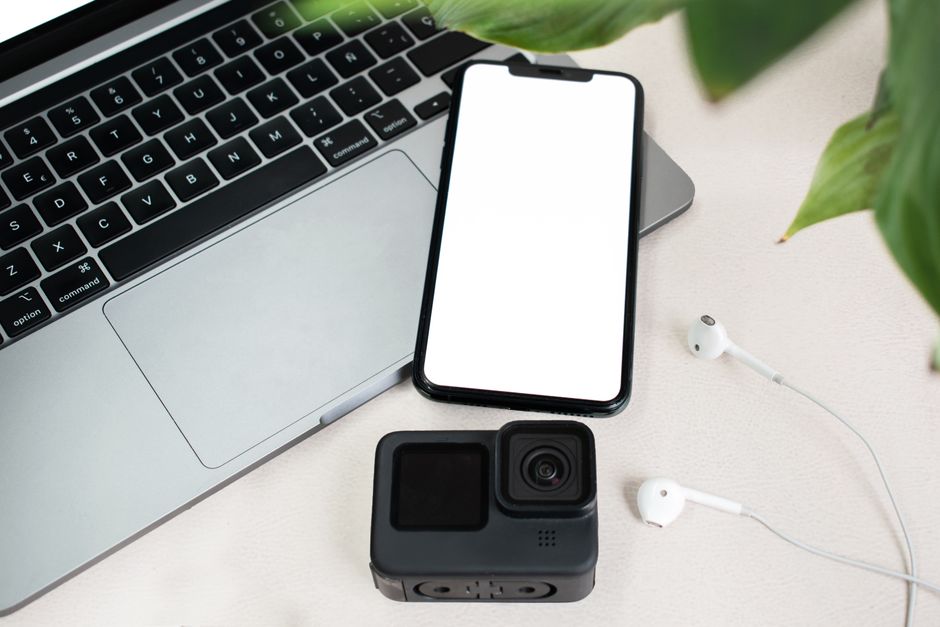
You do not need a 20-pound backpack full of gadgets to work from a cafe in Lisbon or a co-working space in Chiang Mai. You need seven specific items. Total weight: under 4 pounds. Total cost: around $1,800 if you start from scratch. That is the entire setup.
I have tested this loadout across 14 countries and three continents. Some gear earned its place. Most did not. Here is what actually matters for a productive mobile office in 2026.
The Core Setup: What You Actually Need
Every digital nomad eventually realizes the same thing: your laptop does 90% of the work. Everything else is either supporting that laptop or fixing a specific problem it creates. The problem is usually your neck, your eyes, or your internet.
Start with the laptop. The MacBook Air M3 13-inch ($1,099) remains the best default choice for most nomads in 2026. It weighs 2.7 pounds, the battery runs 15-18 hours of real work, and the M3 chip handles video calls, spreadsheets, and light photo editing without breaking a sweat. Windows users should look at the Lenovo ThinkPad X1 Carbon Gen 12 ($1,299) — 2.4 pounds, excellent keyboard, and a matte screen that beats the MacBook in direct sunlight. Both are overkill for email and Google Docs, but the battery life alone justifies the price when you are working from a hostel common room with one outlet.
Skip the iPad. Skip the second screen. A single good laptop is faster to set up and tear down, and every extra device adds weight, charging cables, and another thing to lose. If you truly need a second screen for coding or design work, the Lenovo ThinkVision M14d portable monitor ($349, 14-inch, 1.3 pounds) is the only one worth buying. It runs off a single USB-C cable. Most other portable monitors have washed-out colors or flimsy stands.
Why Battery Life Beats Raw Power
You will work in places where outlets are scarce, broken, or occupied. A laptop that dies at 2pm is a laptop that forces you to buy a $6 latte just to sit near a wall socket. The MacBook Air M3 gets you through a full workday on battery. The X1 Carbon gets you 10-12 hours. That difference matters more than benchmark scores.
The Charging Brick That Replaces Everything
The Anker 735 Charger GaNPrime 65W ($59) is the single most useful accessory in this entire list. It has two USB-C ports and one USB-A port. It charges your laptop, phone, and earbuds simultaneously. It is the size of a deck of cards. It replaces the three bulky chargers you were about to pack. Get this before you get anything else.
Comparison Table: 7 Items That Earn Their Weight
| Item | Model | Weight | Price | Verdict |
|---|---|---|---|---|
| Laptop | MacBook Air M3 13″ | 2.7 lbs | $1,099 | Best default for most nomads |
| Charger | Anker 735 GaNPrime 65W | 0.3 lbs | $59 | Non-negotiable |
| Headphones | Sony WH-1000XM5 | 0.55 lbs | $349 | Best for noisy co-working spaces |
| Keyboard | Logitech MX Keys Mini | 0.9 lbs | $99 | Worth it only if you type 4+ hours daily |
| Laptop stand | Roost Laptop Stand V3 | 0.4 lbs | $89 | Best neck-saver on the market |
| External SSD | Samsung T7 Shield 1TB | 0.2 lbs | $119 | Only for video/photo work |
| Mouse | Logitech MX Anywhere 3S | 0.2 lbs | $79 | Better than trackpads for Excel/design |
Total weight of everything except the laptop: 2.55 pounds. Total cost of accessories: $794. That is the entire loadout.
Headphones: The One Splurge That Pays for Itself
Buy the Sony WH-1000XM5 ($349). Do not overthink this. The noise cancellation is still the best in the category in 2026, the battery lasts 30 hours with ANC on, and the microphone quality on calls is good enough that you can take a client meeting from a busy cafe without apologizing for background noise.
The alternative is the Bose QuietComfort Ultra ($429). Slightly better call quality, slightly worse ANC, $80 more. Both are excellent. Pick whichever is on sale. The key point: do not cheap out on headphones if you work in shared spaces. A $60 pair of earbuds will leave you distracted, exhausted, and less productive by hour three.
Earbuds are fine as a backup. The Apple AirPods Pro 2 ($249) or Sony WF-1000XM5 ($299) both work for quick calls and podcasts. But for deep focus work, over-ear noise cancellation is not a luxury. It is a productivity tool.
Ergonomics: The Setup That Saves Your Neck
Here is the failure mode nobody warns you about. You work from a kitchen table in an Airbnb for three months. Your laptop screen sits 12 inches below eye level. By week six, your neck hurts every day. By month three, you have a chronic tension headache that no amount of ibuprofen fixes.
The fix costs $89 and weighs 0.4 pounds. The Roost Laptop Stand V3 lifts your laptop screen to eye level. It folds down to the size of a thick pen. It is made of carbon fiber and aluminum. It has survived three years in my backpack without a scratch. Pair it with a compact keyboard and you have a proper ergonomic setup that fits in a daypack.
The Logitech MX Keys Mini ($99) is the keyboard to pair it with. It weighs 0.9 pounds, connects to three devices via Bluetooth, and types better than most full-size keyboards. The battery lasts 10 days of heavy use. If you type for a living — writing, coding, customer support — this keyboard is worth every gram. If you only answer emails and Slack messages, skip it. The laptop keyboard is fine.
One warning: cheap laptop stands wobble. The Roost does not. That matters when you are typing on a flimsy cafe table in Mexico City.
What to Skip: Gear That Wastes Your Money
- Portable espresso makers. A $150 Wacaco Picopresso is fun for week one. By week three, you are buying cafe coffee anyway. Weight: 0.7 pounds. Value: zero.
- Travel routers. The GL.iNet Beryl AX ($89) is a great product. But hotel Wi-Fi is usually fine, and your phone hotspot works everywhere else. Carry a travel router only if you stay in one place for months at a time.
- Solar chargers. You are a digital nomad, not a backpacker camping in the wilderness. A 20,000mAh power bank like the Anker 737 ($99) is more useful and charges faster from a wall outlet.
- Foldable Bluetooth keyboards with trackpads. These feel like typing on a sponge. The MX Keys Mini is the minimum quality threshold. Anything cheaper is a waste of $40.
- Portable printers. No. Just no.
Every gram counts when you are moving between cities every two weeks. The gear you leave at home is gear you do not have to carry up five flights of stairs in a building with no elevator in Lisbon.
Backup and Internet: The Boring Stuff That Saves You
Your laptop will break. Your hard drive will fail. Your Airbnb Wi-Fi will go down 30 minutes before a client call. These are not hypotheticals. They are scheduled events on the nomad calendar.
The Samsung T7 Shield 1TB ($119) is the backup drive to buy. It is the size of a credit card, weighs 0.2 pounds, and has a rubberized shell that survives drops and rain. It transfers files at 1,050 MB/s over USB-C. Set up automatic backups with Time Machine on Mac or File History on Windows. Do it once. Forget about it.
For internet, your phone’s hotspot is the backup plan. But get a local SIM card in every country you visit. In 2026, an eSIM from Airalo or Holafly costs $10-30 for a month of data and activates in five minutes. A local SIM is often cheaper for long stays. Either way, do not rely on cafe Wi-Fi for important calls. It will fail you at the worst possible moment.
The final piece is software. Focus Keeper (free on iOS, $4.99 for pro) is a Pomodoro timer that actually works. Backblaze ($99/year) backs up your entire laptop to the cloud automatically. Calendly (free tier) handles timezone scheduling so you stop doing mental math for client calls. These three apps do more for your productivity than any piece of hardware.
You left your apartment to see the world. You did not leave to spend your days hunched over a laptop in pain, tethered to a wall outlet, listening to someone else’s phone call. The right gear — seven items, four pounds, $1,800 — means you work better in less time and spend the rest of your day actually living in the place you flew 18 hours to reach.
